1. Login to your Cpanel account.
2. Add the domain you want from menu "addon domain"
3. Cpanel will automatically install SSL for all your domains once a day at midnight.
Berikut cara manual menginstall SSL gratis
1. Login Cpanel.
2. Click SSL/TLS Status
3. Check Domain you want SSL installed.
4. Click RUN AutoSSL botton.
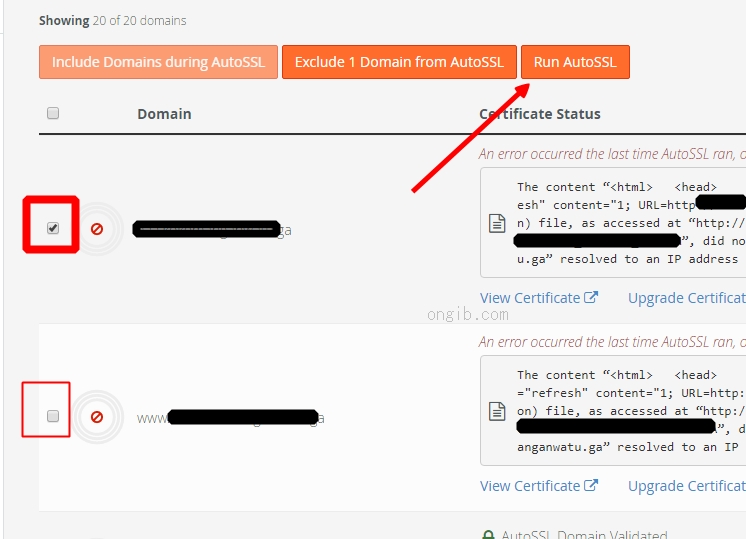
Here's how to check if the SSL for your domain is already installed:
-). Access your domain with https://yourdomain.com. Checks on the top left corner as shown below

-). Other way is, login to your Cpanel account >> SSL / TLS >> Manage SSL sites >> It would seem that SSL has been installed as shown below